An innovative virtual android solution
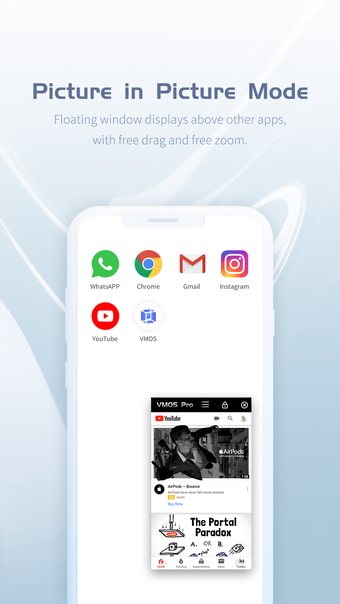
VMOS PRO, developed by the VMOS Team, is an innovative app that creates a virtual Android environment on your existing device. This solution is particularly appealing for users that need to simultaneously run multiple social media or gaming accounts, as well as for developers looking for a sandboxed environment to safely test apps. The application operates on a subscription model, but offers a free version with limited features and ads. The Pro version unlocks enhanced functionality, including root access and a floating window mode.
Intuitive user experience with seamless navigation
VMOS PRO offers a user-friendly interface that closely resembles a standard Android layout, making it easy for newcomers to navigate. The app's functionality is centered around familiar Android's navigation patterns—-swiping, tapping, and long-pressing behave as expected, allowing users to interact with the virtual environment intuitively..
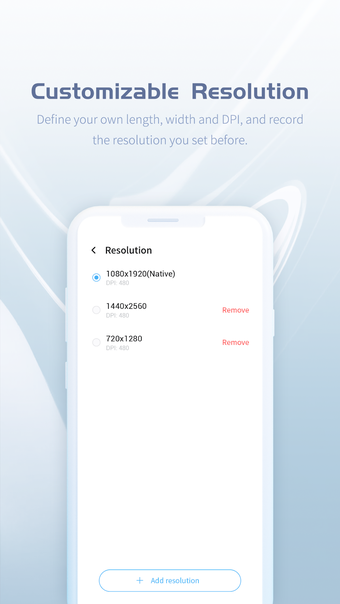
A key feature of the program is its customization options, allowing users to adjust screen resolution and allocate specific amounts of RAM and storage, allowing for a tailored experience that caters to individual needs. Furthermore, VMOS PRO supports multitasking, enabling users to run multiple applications concurrently, although this can lead to performance dips when too many resource-heavy apps are in operation. Overall, while its interface and user interactions are designed for ease of use, prospective users should consider their device's specifications for an optimal experience. Performance largely depends on the host device. Users with high-end devices generally experience smoother operation, while those on low-end devices may encounter lag during regular use.
Robust integration and compatibility
The program supports root access, allowing users to install root-requiring apps, enhancing flexibility within the VM context. Built-in file sharing between the host device and the VM, along with copy-paste functionalities, significantly streamlines user experience.
Additionally, compatibility tends to vary across different devices, especially those with heavily customized ROMs or from specific manufacturers. Users should research compatibility before installation. Despite some performance and compatibility challenges, VMOS PRO stands out as a powerful tool for maximizing the capabilities of the host device.
It’s important to note that substantial RAM consumption is particularly pronounced when multiple apps are running concurrently, making it crucial to monitor and adjust configurations accordingly. While VMOS PRO excels in isolating resources within its virtual environment, providing a secure sandbox for testing applications, prolonged use may lead to accelerated battery drain, which is an essential consideration for mobile users.
Final verdict on VMOS PRO
VMOS PRO emerges as a valuable tool for power users who require a nuanced virtual Android environment. Its standout features include running multiple instances of the same app, significantly enhancing productivity for gamers and social media managers. The app also fortifies user security by isolating potentially harmful applications within a sandbox, mitigating risks to the host device. Moreover, it allows developers to test applications in a controlled environment, providing access to root privileges without compromising the main device.
However, the performance can vary based on the host device’s capabilities, with lower-end devices likely to suffer from lag during intensive tasks. The app consumes significant storage and battery life, considerations that users must weigh before installation. Compatibility issues with certain applications, particularly those needing specific hardware features, are also relevant. Despite these limitations, the advantages far outweigh the drawbacks for VMOS PRO's target audience, making it a powerful asset in their toolkit.